
School Of Fish
Coach Hub
Start here
Everything you need as a School Of Fish coach, on one page. The tests and the agreement at the top are required. The rest tells you where everything lives and what to do before, during and after a session.
Bookmark this page now. On your phone, open your browser menu and choose Add to Home Screen. On a computer, press Ctrl and D (Cmd and D on a Mac). It isn't on the public site, so keep the link between us.
How it works
Pass a test, send the form at the end, and the school has your completion. Do that for all three, and sign the coach agreement once.
This page remembers what you've done on this computer. When all four show done, one last form sends the full record. Took a test on another device? The form you sent from there still counts.
Shared computer? Clear this device and start your own record.
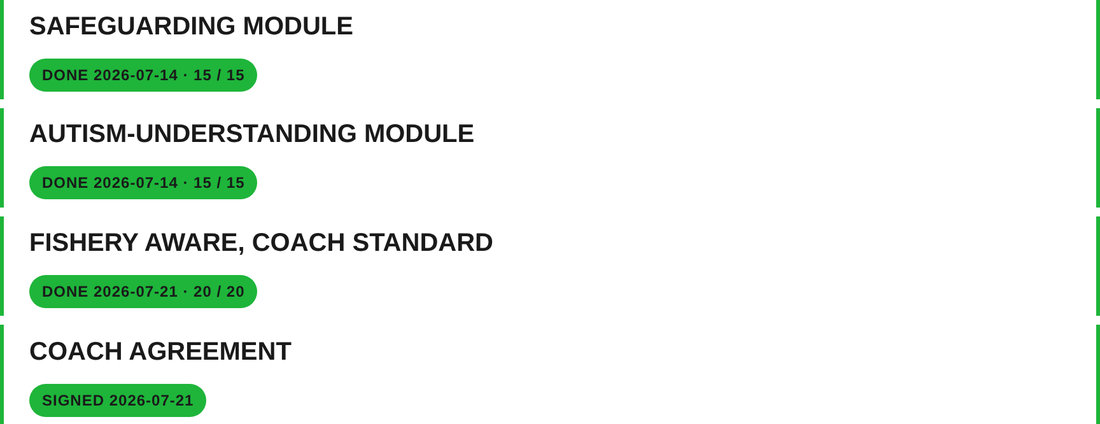
What done looks like: all four chips green, then one send logs the record.
Safeguarding Module
Not done on this deviceWhat to do, in the moment, when something is wrong. Fifteen questions, every answer must be right.
The test page teaches everything it asks. More: our Safeguarding Policy and safeguarding guidance, or NSPCC Learning and the Child Protection in Sport Unit.
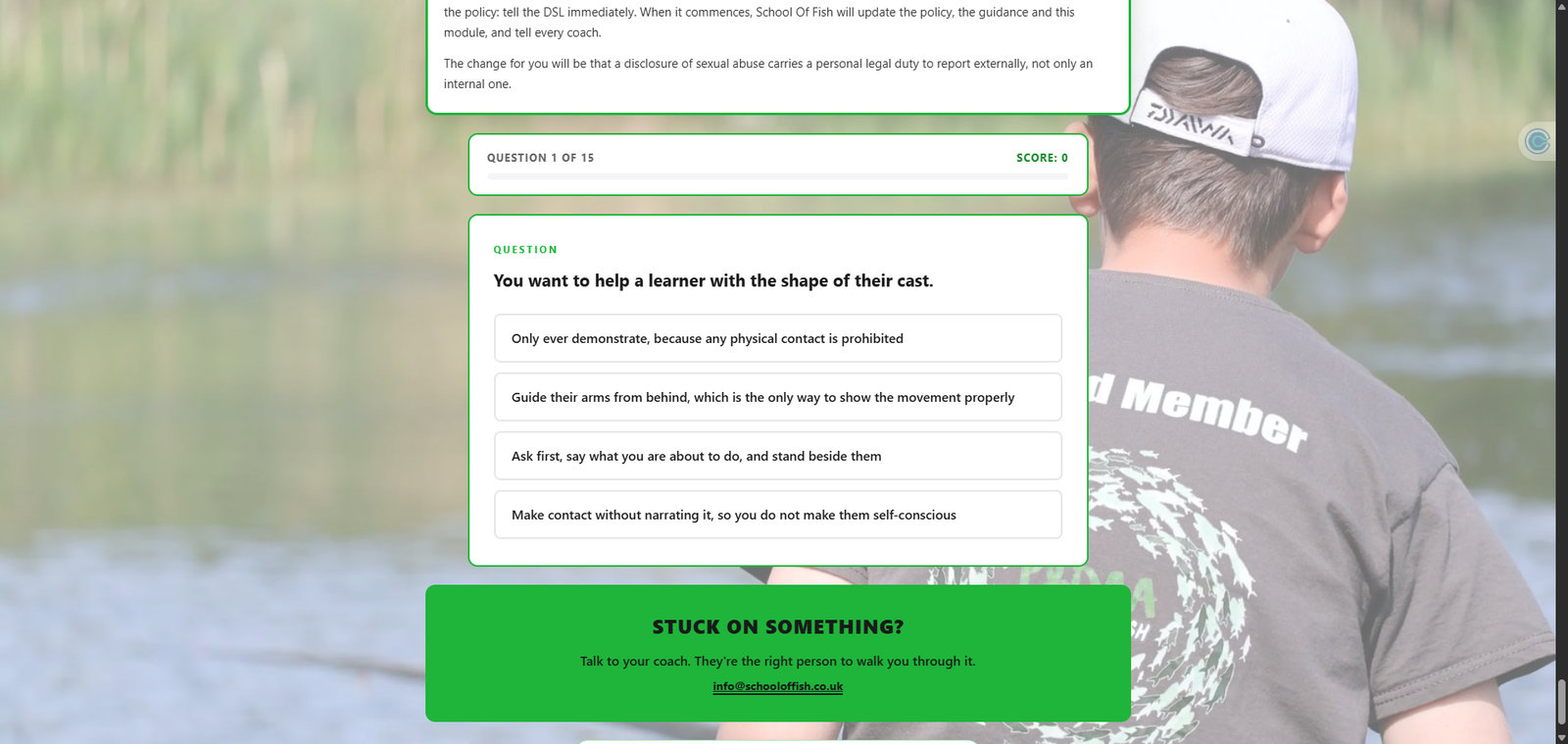
What a question looks like: four options, pick one, read the why, then Next.
Take itAutism-Understanding Module
Not done on this deviceUnderstanding autistic anglers and how to coach them. Fifteen questions, every answer right, and a different paper each time.
The test page teaches it, and our coaching guidance covers the delivery. More: the National Autistic Society or the Autism Education Trust.
Take itFishery Aware, Coach Standard
Not done on this deviceThe same twenty questions the Diploma sets learners. Every answer must be right.
Learn it from the national rod fishing rules for seasons and licences, Check Clean Dry for biosecurity, and the Institute of Fisheries Management for the wider picture.
Take itCoach Agreement
Not done on this deviceSign it once before your access is set up. It covers our policies, how you handle people's information, and the standards we expect.
Sign itWhere everything lives
Five places. That's the whole system.
- This hub. The page you're on. Start every shift here.
- The public site. schooloffish.co.uk: what parents and learners see. Courses, policies, and the safety page.
- Clubmate. Bookings, the event diary, learner records and Diploma badges. You sign in; learners book.
- Discord. The team's chat room. Questions, session cover, coach talk. Your invite comes from the school.
- Email and phone. Admin goes to info@schooloffish.co.uk. Safeguarding goes to Ulvis Strokss on 07713 177685 or safeguarding@schooloffish.co.uk.
Before a session
- Check the session in Clubmate: sign in and open the diary. You'll see who's booked.
- Read the session plan for the session type you're running.
- Fill in the session risk assessment when you arrive at the water. It sends itself to the school and gives you a PDF copy.
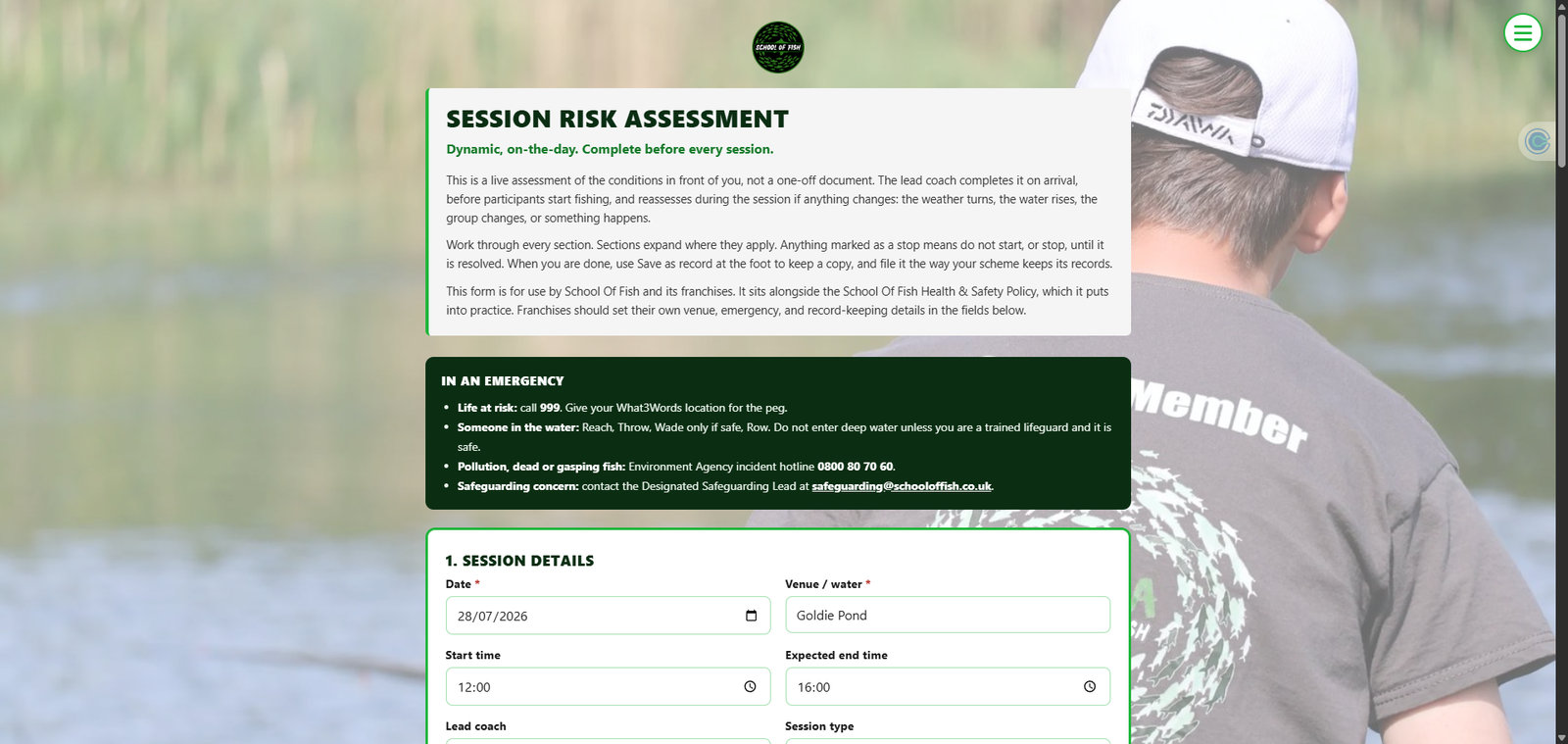
The risk assessment: emergency numbers at the top, then work through the sections.
At the session
- At least two adults, always. One-to-one is a coaching ratio at the water, never a child alone with an adult.
- The safeguarding guidance covers the moments that matter: injuries, photos, parents, behaviour. The neurodivergence guidance covers coaching autistic and neurodivergent learners.
- Badges are awarded during the session, not after. One coach takes it in turns with participants: open the learner's record in Clubmate, open Training /Awards, press Add Award, pick the badge, Add. The badge and the congratulations email go out there and then.
- When the badges complete an award, issue the award the same way.
- A concern goes to Ulvis immediately: 07713 177685. If a child is in immediate danger, call 999 first.
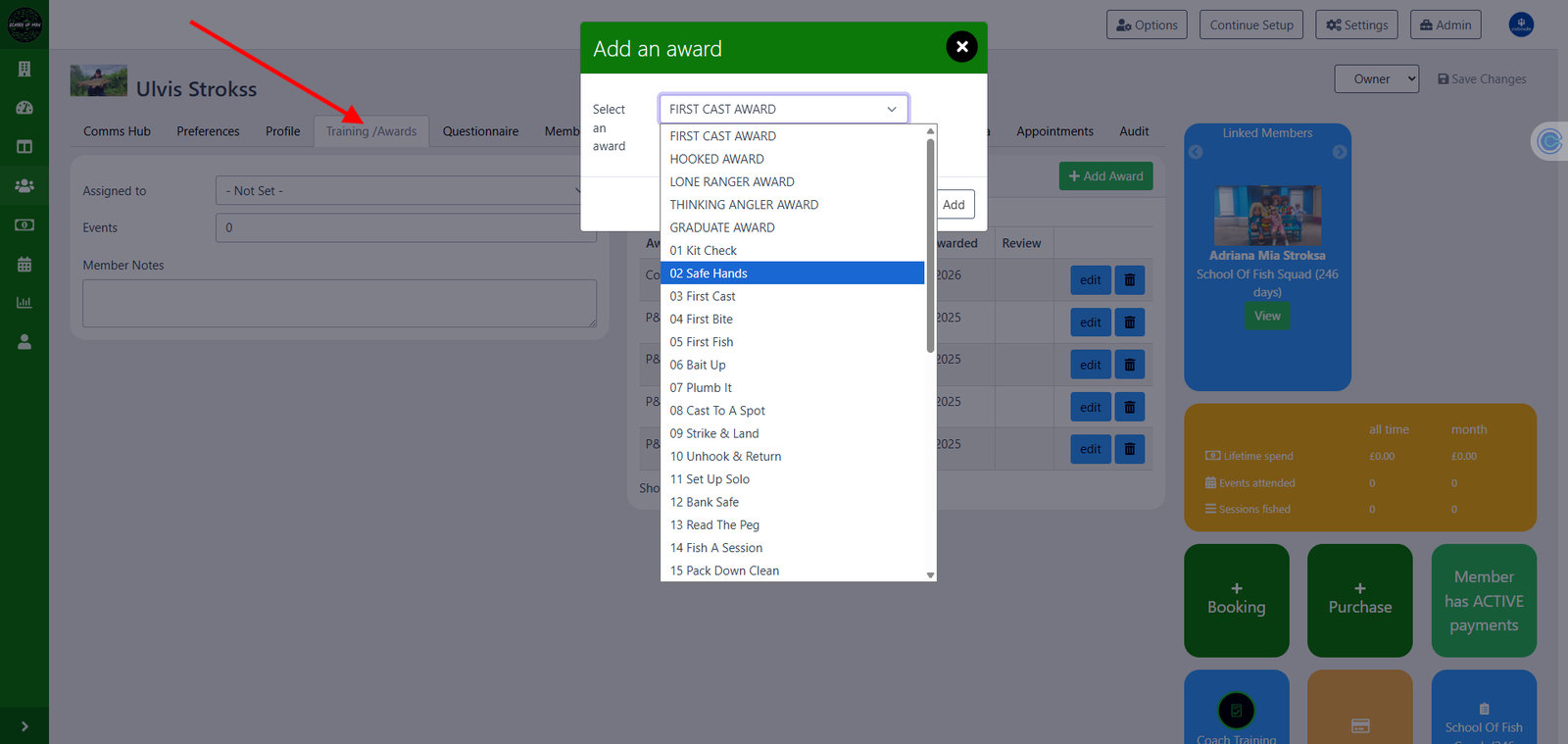
Awarding a badge: the learner's record, Training /Awards, Add Award, pick the badge, Add.
After a session
- When someone finished Master Angler today, generate their Diploma certificate and hand it over.
- If there was an incident or a near miss, the incident report goes in within 24 hours.
Assessing the Diploma
Every badge is pass or not yet. The assessor guide gives you the pass line, the watch-fors and the moderation notes for all 25 badges, and the session plans show you how to run the sessions those badges come from. Not sure? It's a not-yet; tell the learner what to show you next time.
Clubmate
Clubmate is where the school runs its bookings and learner records.
- Sign in here with your coach account.
- Learners and parents book through the public booking diary. When someone asks how to book, send them that link.
- Each learner's record holds their bookings, awards and badges.
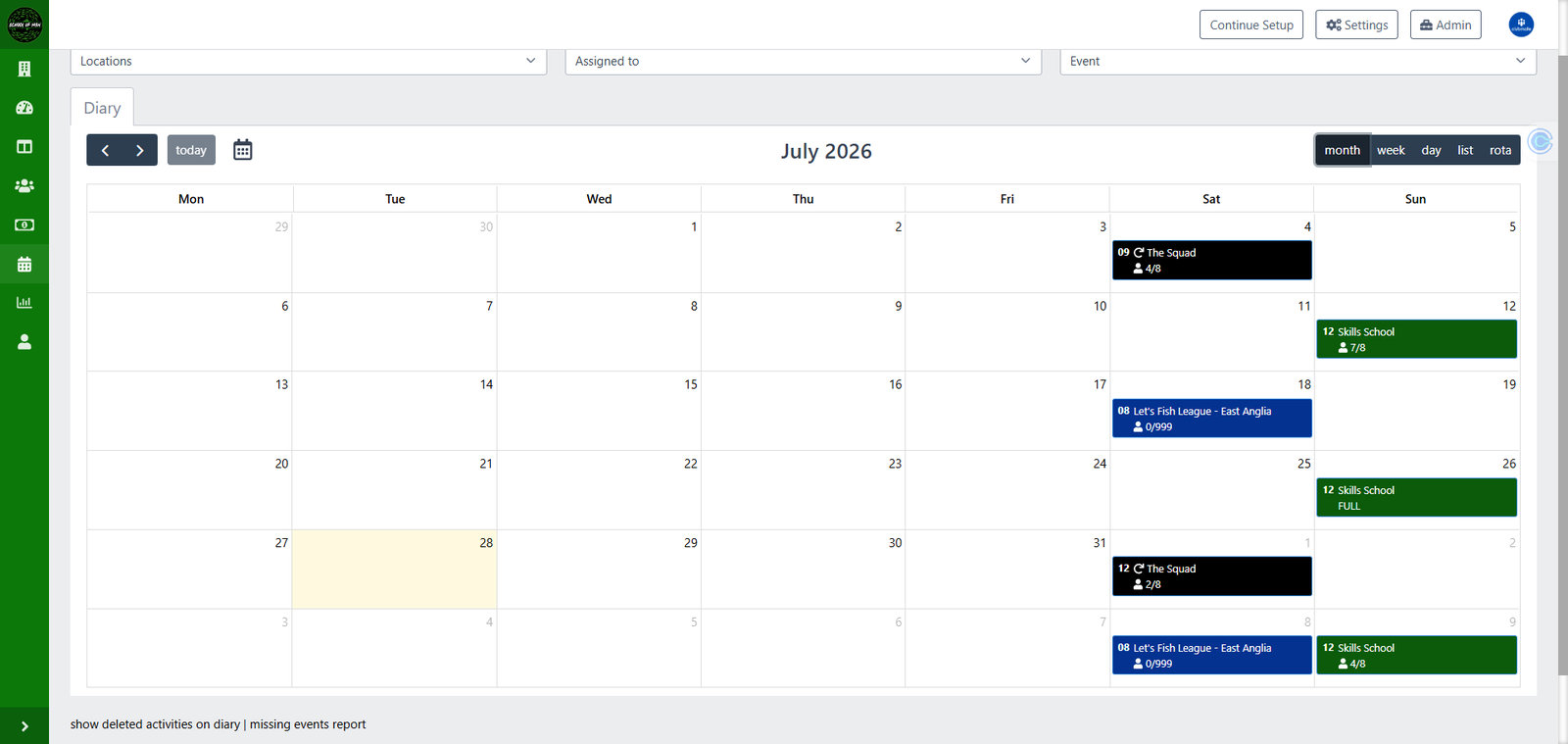
The diary in month view: every session, with bookings against each one.
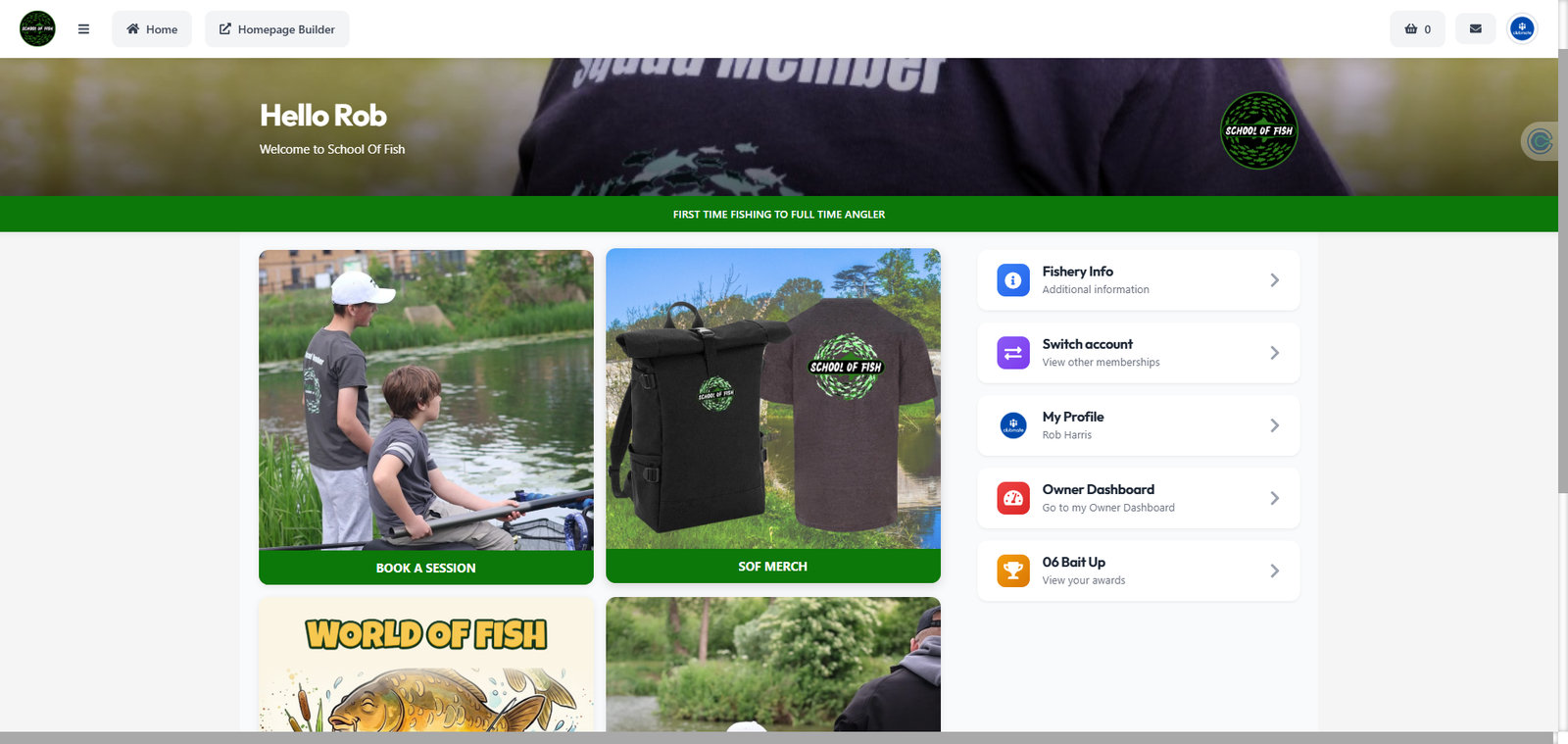
What learners see when they sign in: Book a Session, the shop, World of Fish and their awards.
Discord
The team's chat room: session cover, questions, kit talk, coach chat. Your invite comes from the school; ask at info@schooloffish.co.uk if you haven't had one.
- Everything happens in public channels. Never message a learner directly, and never a young person.
- Under-18s are only in the server through a parent's invitation.
- Photos with an under-18 in them need written parent consent and a visible watermark, the same as the policy on the bank.
- No learner or member personal data in any channel: names, contact details, session notes about individuals.
- Not sure whether something belongs on Discord? Send it to the school by email instead.
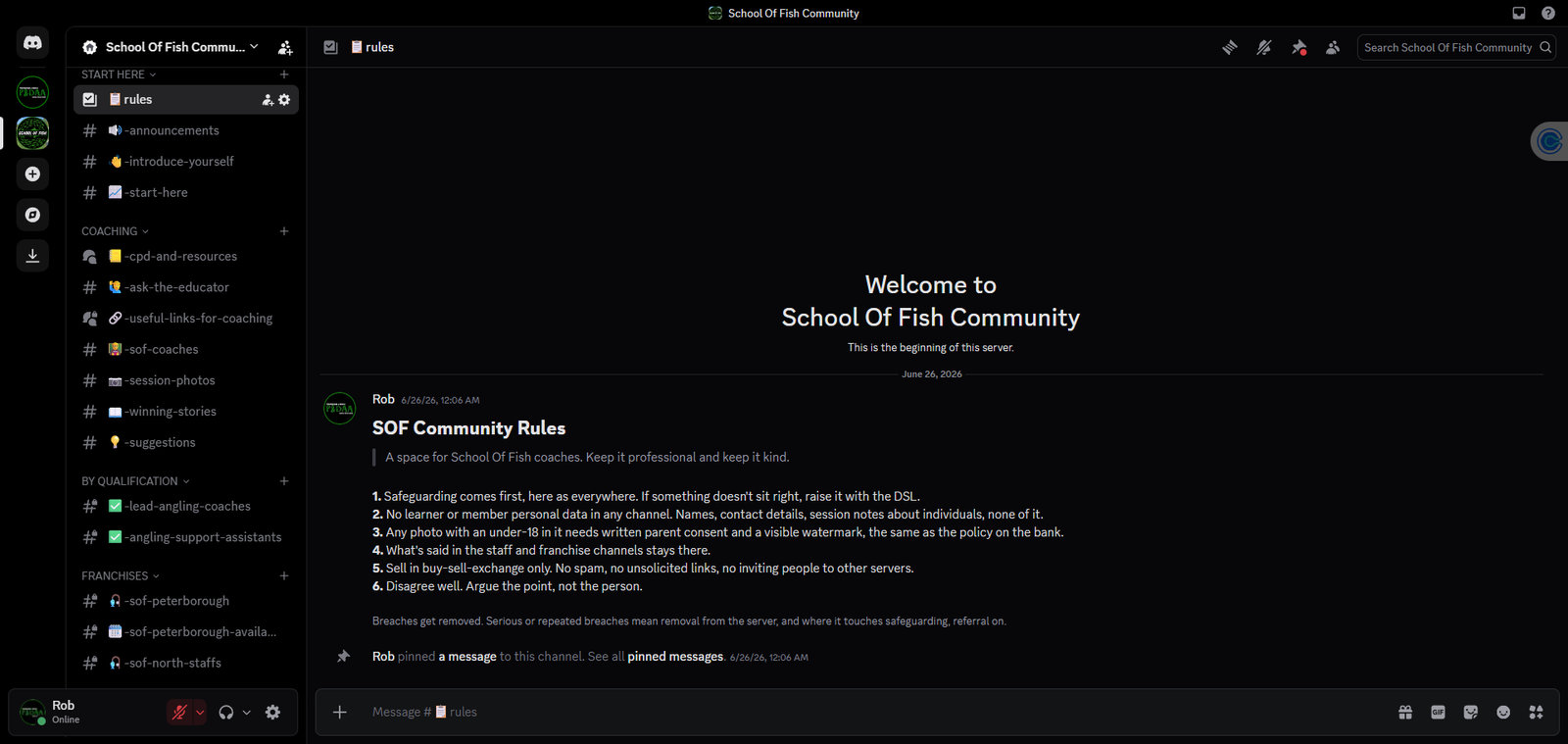
The server: channels down the left, the rules pinned in Start Here.
If something's wrong
Any concern about a child goes to Ulvis Strokss immediately: 07713 177685 or safeguarding@schooloffish.co.uk. If a child is in immediate danger, call 999 first.
After any incident or near miss, fill in the incident report within 24 hours.
Quick links
- Safeguarding Module: the required safeguarding test.
- Autism-Understanding Module: the required autism test.
- Fishery Aware: the required fishery test at the coach standard.
- Coach Agreement: sign once before you coach.
- Session Plans: how to run each session type.
- Assessor Guide: every badge's pass line.
- Safeguarding in Practice: the delivery guidance.
- Coaching Neurodivergent Anglers: delivery guidance for neurodivergent learners.
- Diploma Certificate: type the name, download the PDF.
- Session Risk Assessment: fill in at the water before you start.
- Incident Report: within 24 hours, every incident or near miss.
- Clubmate sign-in: your coach account.
- Public booking diary: where learners book.
- Keeping Children Safe: what parents read about us.
- Verify a coach: the licence check page.